Buy n4c.eu ?
We are moving the project
n4c.eu .
Are you interested in purchasing the domain
n4c.eu ?
domain@kv-gmbh.de · 0541-91531010
Buy n4c.eu ?
What is the process between a DHCP client and a DHCP server?
When a DHCP client connects to a network, it sends out a broadcast request for a DHCP server. The DHCP server then responds with an offer of an IP address, subnet mask, and other network configuration information. The client can then request the offered configuration, and the server will acknowledge the request and provide the client with the necessary network settings. Finally, the client will acknowledge the receipt of the configuration, and the DHCP server will mark the IP address as being in use. This process allows for automatic assignment of network settings to clients, making it easier to manage and maintain a network. **
How do I disable DHCP?
To disable DHCP on a router or network device, you will need to access the device's settings or configuration page. Look for the DHCP settings within the device's interface and toggle the DHCP server option to disable it. Save the changes and restart the device for the settings to take effect. Keep in mind that disabling DHCP will require you to manually assign IP addresses to devices on your network. **

Similar search terms for DHCP
Top-Angebote
Products related to DHCP:
-
Thunderworks Games Tenpenny Parks Innovation Expansion - Strategic Park ManagementTake your Tenpenny Parks experience further with the Innovation expansion from Thunderworks Games. Develop new ideas for your park, recruit additional specialists, and introduce exciting novelties that can change the way you plan and build. This expansion adds fresh strategic options to the park-management gameplay of Tenpenny Parks. Use research to improve your development plans, bring new specialists into your team, and create more distinctive attractions as you compete to shape a successful park. What’s included: Key features: - New innovation-focused content for Tenpenny Parks - Additional specialists to support your plans - New research and novelty options - More strategic choices during development Please note: This is an expansion and requires the Tenpenny Parks base game to play. It is suitable for players who want to add variety and further strategic depth to their existing game.35,99 £*Shipping: 3,95 £Secure redirect to the provider
-
Uplifted Finds 40 Pack High Efficiency Replacement Filters 40 Pack High Efficiency Replacement FiltersEnsure your pet always has access to clinicalgrade water with this 40Pack Filter and Sponge Set. Engineered for highcapacity 67oz (2L) and 108oz (3.2L) stainless steel fountains, this bulk kit provides a comprehensive solution for longterm water...73,97 $*Shipping: 0,00 $Secure redirect to the provider
-
Uplift Essentials High Efficiency Non Stick Camping Skillet High Efficiency Non Stick Camping SkilletUpgrade your trailside cooking with this highperformance Nonstick Camping Frying Pan. Engineered for the weightconscious hiker, this outdoor hiking skillet combines a premium stickfree surface with a rugged, ultralight build. Whether you are searing...128,97 $*Shipping: 0,00 $Secure redirect to the provider


-
Does anyone know about DHCP?
Yes, DHCP stands for Dynamic Host Configuration Protocol. It is a network management protocol used to automatically assign IP addresses and other network configuration settings to devices on a network. DHCP helps to simplify the process of managing and configuring IP addresses, especially in large networks, by dynamically allocating and reusing addresses as devices connect and disconnect from the network. It is commonly used in both home and business networks to streamline the process of connecting devices to the network. **
-
What are DHCP scope options?
DHCP scope options are additional settings that can be configured within a DHCP scope to provide specific configuration parameters to DHCP clients. These options can include settings such as DNS server addresses, domain name, default gateway, and more. By defining DHCP scope options, network administrators can customize and control the network configuration parameters that are provided to DHCP clients when they request an IP address. **
-
What exactly does DHCP do?
DHCP, or Dynamic Host Configuration Protocol, is a network management protocol used to automatically assign IP addresses and other network configuration settings to devices on a network. When a device connects to a network, it sends a request to a DHCP server, which then assigns it an IP address, subnet mask, default gateway, and other necessary network settings. This allows devices to join a network and communicate with other devices without the need for manual configuration. DHCP helps to streamline network management and make it easier to add and remove devices from a network. **
-
How do I reserve DHCP addresses?
To reserve DHCP addresses, you will need to access your DHCP server's configuration settings. Typically, you can reserve DHCP addresses by assigning a specific IP address to a device's MAC address. This ensures that the device will always receive the same IP address when it connects to the network. Consult your DHCP server's documentation or network administrator for specific instructions on how to reserve DHCP addresses in your network environment. **


How do I turn off DHCP?
To turn off DHCP (Dynamic Host Configuration Protocol) on a router or server, you will need to access the device's configuration settings. This can typically be done by logging into the device's web interface or using a command line interface. Once you have accessed the configuration settings, you can navigate to the DHCP settings and disable the DHCP server. This will stop the device from automatically assigning IP addresses to devices on the network, allowing you to manually configure IP addresses for each device if needed. Keep in mind that turning off DHCP may require you to manually assign IP addresses to devices on the network to ensure they can still communicate with each other. **
What questions are there about DHCP?
Some common questions about DHCP include: - How does DHCP work and what is its purpose? - What are the advantages and disadvantages of using DHCP? - How can DHCP be configured and managed in a network environment? - What are the potential security risks associated with DHCP and how can they be mitigated? - How does DHCP interact with other network protocols and services, such as DNS and IP addressing? **
Top-Angebote
Products related to DHCP:
-
Roger Hunt Old House Eco Handbook: A Practical Guide to Retrofitting for Energy Efficiency and SustainabilityDescription. Condition: Brand New. Format : Hardback. This practical and essential guide to retrofitting for energy efficiency seeks to provide answers to this and other questions homeowners of old houses are asking. Whether your house is medieval and timber-framed or a Georgian, Victorian or Edwardian terrace, it can be made more energy efficient and sustainable. This practical, comprehensive and fully illustrated handbook will show you how.. Title. Old House Eco Handbook: A Practical Guide to Retrofitting for Energy Efficiency and Sustainability. Delivery. Content. Reviews99,99 £*Shipping: 0,00 £Secure redirect to the provider
-
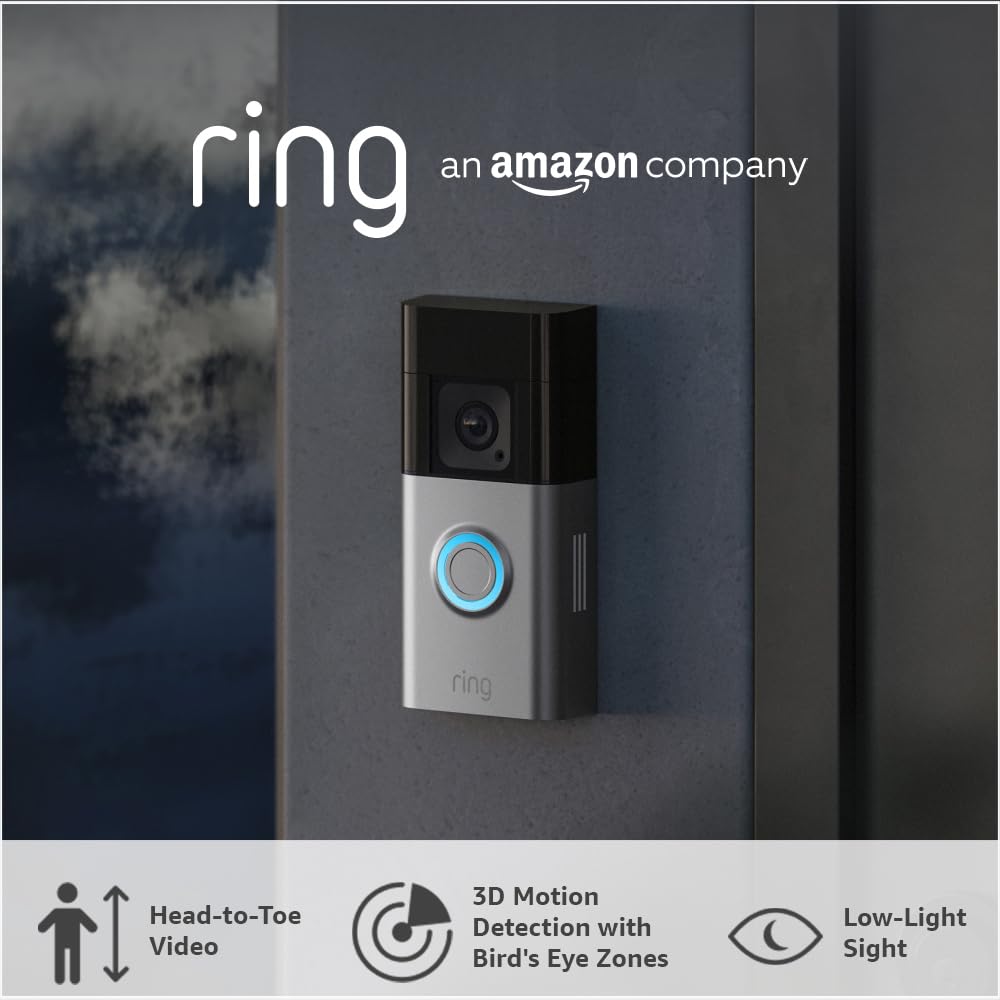
Ring Battery Video Doorbell Pro – Advanced Home Security & Connectivity, NewUpgrade your home security with the Ring Battery Video Doorbell Pro – Wireless Video Doorbell Security Camera. Designed to give you peace of mind, it delivers a head-to-toe 1536p HD view so you can see every detail clearly, from visitors to parcels at your doorstep. With advanced 3D Motion Detection and Bird’s Eye View, you’ll always know what’s happening around your home. The built-in colour night vision ensures crisp images even in the dark, while the wire-free battery design makes installation simple and flexible. Stay connected anywhere with instant notifications, two-way talk, and full integration with the Ring app, Alexa devices, and more. ✔️ Wireless video doorbell – Easy to install with a rechargeable battery, no wiring needed ✔️ 1536p HD head-to-toe view – See visitors and packages clearly in high definition ✔️ 3D Motion Detection & Bird’s Eye View – Advanced alerts and aerial perspective for extra security ✔️ Colour night vision – Crystal-clear video even in low light or darkness ✔️ Two-way talk with noise cancellation – Hear and speak to visitors in real time ✔️ Customisable motion zones – Focus on the areas that matter most ✔️ Smart alerts & notifications – Instant updates on your phone via the Ring app ✔️ Alexa compatible – Works seamlessly with Echo devices for hands-free monitoring ✔️ Quick-release battery pack – Easy to recharge and swap for uninterrupted security ✔️ Durable design – Built to withstand outdoor weather conditions The Ring Battery Video Doorbell Pro combines advanced motion detection, high-definition video, and smart home integration in one sleek device. Perfect for enhancing your home security, it ensures you never miss a visitor or delivery, day or night.174,49 £*Shipping: 0,00 £Secure redirect to the provider
-
Thunderworks Games Tenpenny Parks Innovation Expansion - Strategic Park ManagementTake your Tenpenny Parks experience further with the Innovation expansion from Thunderworks Games. Develop new ideas for your park, recruit additional specialists, and introduce exciting novelties that can change the way you plan and build. This expansion adds fresh strategic options to the park-management gameplay of Tenpenny Parks. Use research to improve your development plans, bring new specialists into your team, and create more distinctive attractions as you compete to shape a successful park. What’s included: Key features: - New innovation-focused content for Tenpenny Parks - Additional specialists to support your plans - New research and novelty options - More strategic choices during development Please note: This is an expansion and requires the Tenpenny Parks base game to play. It is suitable for players who want to add variety and further strategic depth to their existing game.35,99 £*Shipping: 3,95 £Secure redirect to the provider
-
Uplifted Finds 40 Pack High Efficiency Replacement Filters 40 Pack High Efficiency Replacement FiltersEnsure your pet always has access to clinicalgrade water with this 40Pack Filter and Sponge Set. Engineered for highcapacity 67oz (2L) and 108oz (3.2L) stainless steel fountains, this bulk kit provides a comprehensive solution for longterm water...73,97 $*Shipping: 0,00 $Secure redirect to the provider
-
What is the process between a DHCP client and a DHCP server?
When a DHCP client connects to a network, it sends out a broadcast request for a DHCP server. The DHCP server then responds with an offer of an IP address, subnet mask, and other network configuration information. The client can then request the offered configuration, and the server will acknowledge the request and provide the client with the necessary network settings. Finally, the client will acknowledge the receipt of the configuration, and the DHCP server will mark the IP address as being in use. This process allows for automatic assignment of network settings to clients, making it easier to manage and maintain a network. **
-
How do I disable DHCP?
To disable DHCP on a router or network device, you will need to access the device's settings or configuration page. Look for the DHCP settings within the device's interface and toggle the DHCP server option to disable it. Save the changes and restart the device for the settings to take effect. Keep in mind that disabling DHCP will require you to manually assign IP addresses to devices on your network. **
-
Does anyone know about DHCP?
Yes, DHCP stands for Dynamic Host Configuration Protocol. It is a network management protocol used to automatically assign IP addresses and other network configuration settings to devices on a network. DHCP helps to simplify the process of managing and configuring IP addresses, especially in large networks, by dynamically allocating and reusing addresses as devices connect and disconnect from the network. It is commonly used in both home and business networks to streamline the process of connecting devices to the network. **
-
What are DHCP scope options?
DHCP scope options are additional settings that can be configured within a DHCP scope to provide specific configuration parameters to DHCP clients. These options can include settings such as DNS server addresses, domain name, default gateway, and more. By defining DHCP scope options, network administrators can customize and control the network configuration parameters that are provided to DHCP clients when they request an IP address. **
Similar search terms for DHCP
-
Uplift Essentials High Efficiency Non Stick Camping Skillet High Efficiency Non Stick Camping SkilletUpgrade your trailside cooking with this highperformance Nonstick Camping Frying Pan. Engineered for the weightconscious hiker, this outdoor hiking skillet combines a premium stickfree surface with a rugged, ultralight build. Whether you are searing...128,97 $*Shipping: 0,00 $Secure redirect to the provider
-
Care+ Bears 30cm Gryffindor House Hoodie Plush for Kids - 30cm - New - Official CollaborationDelight in the official Care Bears x Harry Potter collaboration with the 30cm Harry Potter Gryffindor House Hoodie Plush, available at Lennies Toys. This premium crossover brings together the warm, nostalgic charm of Care Bears with the magic of Hogwarts, delivering a plush that’s both cuddly and collectible. Official Care Bears x Harry Potter collaboration, celebrating 25 years of magic with larger, more detailed plush designs. The plush is a seated, 30cm premium design with enhanced details, ideal for cuddling, gifting, or displaying on a shelf. The Gryffindor House outfit includes a robe, scarf, crest details, and a bold lion mascot hoodie for a standout magical look. Tenderheart Bear embodies Gryffindor bravery, leadership, and determination, blending care with courageous spirit. The plush features the classic red heart belly badge and a paw featuring the Harry Potter 25th Anniversary logo. Perfect for fans of both Care Bears and Harry Potter, this plush is a great addition to any collection.16,99 £*Shipping: 3,95 £Secure redirect to the provider
-
Uplift Picks IRobot Roomba Replacement Kit, Restore Cleaning Efficiency iRobot Roomba Replacement Kit, Restore Cleaning EfficiencyThe iRobot Roomba Replacement Kit is a complete maintenance set for robotic vacuums that restores lost suction, worn brushes, and inefficient corner cleaning. It ensures your Roomba operates at peak efficiency, delivering spotless floors while...41,97 $*Shipping: 0,00 $Secure redirect to the provider
-
What exactly does DHCP do?
DHCP, or Dynamic Host Configuration Protocol, is a network management protocol used to automatically assign IP addresses and other network configuration settings to devices on a network. When a device connects to a network, it sends a request to a DHCP server, which then assigns it an IP address, subnet mask, default gateway, and other necessary network settings. This allows devices to join a network and communicate with other devices without the need for manual configuration. DHCP helps to streamline network management and make it easier to add and remove devices from a network. **
-
How do I reserve DHCP addresses?
To reserve DHCP addresses, you will need to access your DHCP server's configuration settings. Typically, you can reserve DHCP addresses by assigning a specific IP address to a device's MAC address. This ensures that the device will always receive the same IP address when it connects to the network. Consult your DHCP server's documentation or network administrator for specific instructions on how to reserve DHCP addresses in your network environment. **
-
How do I turn off DHCP?
To turn off DHCP (Dynamic Host Configuration Protocol) on a router or server, you will need to access the device's configuration settings. This can typically be done by logging into the device's web interface or using a command line interface. Once you have accessed the configuration settings, you can navigate to the DHCP settings and disable the DHCP server. This will stop the device from automatically assigning IP addresses to devices on the network, allowing you to manually configure IP addresses for each device if needed. Keep in mind that turning off DHCP may require you to manually assign IP addresses to devices on the network to ensure they can still communicate with each other. **
-
What questions are there about DHCP?
Some common questions about DHCP include: - How does DHCP work and what is its purpose? - What are the advantages and disadvantages of using DHCP? - How can DHCP be configured and managed in a network environment? - What are the potential security risks associated with DHCP and how can they be mitigated? - How does DHCP interact with other network protocols and services, such as DNS and IP addressing? **
* All prices are inclusive of VAT and, if applicable, plus shipping costs. The offer information is based on the details provided by the respective shop and is updated through automated processes. Real-time updates do not occur, so deviations can occur in individual cases. ** Note: Parts of this content were created by AI.