Buy n4c.eu ?
We are moving the project
n4c.eu .
Are you interested in purchasing the domain
n4c.eu ?
domain@kv-gmbh.de · 0541-91531010
Buy n4c.eu ?
What causes the echoing sound in OBS streams?
The echoing sound in OBS streams is typically caused by audio feedback. This occurs when the audio from your microphone or speakers is picked up by your microphone again, creating a loop of sound. To prevent echoing, you can try adjusting the volume levels of your microphone and speakers, using headphones to monitor your audio, or using noise suppression filters in OBS. Additionally, make sure that your microphone is not too close to your speakers to reduce the chances of feedback. **
What causes the echoing sound in PC recording?
The echoing sound in PC recording is typically caused by feedback loops. This occurs when the audio output from the computer's speakers is picked up by the microphone and then re-amplified, creating a loop of sound. This can also happen if the microphone is too close to the speakers, causing the sound to bounce back and forth between the two. To prevent echoing, it is important to properly adjust the microphone and speaker settings, as well as use headphones to monitor the audio instead of relying on speakers. **

Similar search terms for Echoing
Top-Angebote
Products related to Echoing:
-
Thunderworks Games Tenpenny Parks Innovation Expansion - Strategic Park ManagementTake your Tenpenny Parks experience further with the Innovation expansion from Thunderworks Games. Develop new ideas for your park, recruit additional specialists, and introduce exciting novelties that can change the way you plan and build. This expansion adds fresh strategic options to the park-management gameplay of Tenpenny Parks. Use research to improve your development plans, bring new specialists into your team, and create more distinctive attractions as you compete to shape a successful park. What’s included: Key features: - New innovation-focused content for Tenpenny Parks - Additional specialists to support your plans - New research and novelty options - More strategic choices during development Please note: This is an expansion and requires the Tenpenny Parks base game to play. It is suitable for players who want to add variety and further strategic depth to their existing game.35,99 £*Shipping: 3,95 £Secure redirect to the provider
-
Sesderma Reti Age 5 Liposomal Serum Anti-Aging Innovation 30mLA facial serum for wrinkles and signs of ageing. Reduces wrinkles and fine lines. Hydrates and strengthens barrier. Restores youthful radiance. 5-Retinoid System: smooths wrinkles, accelerates renewal, and boosts collagen. Biomimetic Peptides: fill expression lines by stimulating collagen synthesis.46,44 £*Shipping: 5,16 £Secure redirect to the provider
-
Care+ Bears 30cm Gryffindor House Hoodie Plush for Kids - 30cm - New - Official CollaborationDelight in the official Care Bears x Harry Potter collaboration with the 30cm Harry Potter Gryffindor House Hoodie Plush, available at Lennies Toys. This premium crossover brings together the warm, nostalgic charm of Care Bears with the magic of Hogwarts, delivering a plush that’s both cuddly and collectible. Official Care Bears x Harry Potter collaboration, celebrating 25 years of magic with larger, more detailed plush designs. The plush is a seated, 30cm premium design with enhanced details, ideal for cuddling, gifting, or displaying on a shelf. The Gryffindor House outfit includes a robe, scarf, crest details, and a bold lion mascot hoodie for a standout magical look. Tenderheart Bear embodies Gryffindor bravery, leadership, and determination, blending care with courageous spirit. The plush features the classic red heart belly badge and a paw featuring the Harry Potter 25th Anniversary logo. Perfect for fans of both Care Bears and Harry Potter, this plush is a great addition to any collection.16,99 £*Shipping: 3,95 £Secure redirect to the provider
-
Uplift Essentials High Efficiency Non Stick Camping Skillet High Efficiency Non Stick Camping SkilletUpgrade your trailside cooking with this highperformance Nonstick Camping Frying Pan. Engineered for the weightconscious hiker, this outdoor hiking skillet combines a premium stickfree surface with a rugged, ultralight build. Whether you are searing...128,97 $*Shipping: 0,00 $Secure redirect to the provider


-
What causes the echoing sound during OBS streaming?
The echoing sound during OBS streaming is typically caused by audio feedback. This occurs when the audio from the stream is picked up by the microphone and then played back through the stream again, creating a loop of sound. This can happen if the microphone is too close to the speakers, or if the audio output from the stream is being picked up by the microphone. To fix this issue, it's important to adjust the microphone and speaker placement, and to use headphones to monitor the audio instead of relying on speakers. Additionally, adjusting the audio settings in OBS to minimize feedback can also help reduce echoing. **
-
Why is the laptop sound echoing since the update?
The laptop sound may be echoing since the update due to changes in the audio settings or drivers. The update may have altered the sound configuration, causing the sound to bounce off surfaces and create an echo effect. It is recommended to check the audio settings, update the sound drivers, or adjust the volume levels to potentially resolve the echoing issue. **
-
Why do Teamspeak partners always sound like they are echoing?
Teamspeak partners may sound like they are echoing due to a phenomenon called audio feedback. This occurs when the sound from their speakers is picked up by their microphone and transmitted back to you, creating a loop of sound. This can happen if their microphone sensitivity is too high or if their speakers are too loud. Adjusting these settings or using headphones can help reduce or eliminate the echoing effect. **
-
What can I do if the microphone is echoing during the recording?
If the microphone is echoing during the recording, there are a few things you can try to fix the issue. First, try adjusting the microphone's position and distance from the sound source to minimize reflections and echoes. You can also try using a pop filter or foam windscreen to reduce unwanted noise and echoes. Additionally, check the recording environment for any hard surfaces that may be causing the echo and consider adding acoustic treatment to the room. Finally, make sure to check the microphone and recording equipment for any technical issues that may be contributing to the echoing. **


Where do I change the settings so that the Windows Media Player stops echoing strangely?
To adjust the settings in Windows Media Player to stop echoing, you can try adjusting the audio settings within the program. Click on the "Tools" menu in Windows Media Player, then select "Options." In the Options menu, go to the "Devices" tab and select your audio device. Click on "Properties" and then adjust the audio settings such as volume levels, enhancements, and speaker configuration to see if that helps reduce the echoing issue. Additionally, make sure your computer's audio drivers are up to date as outdated drivers can sometimes cause audio issues. **
What can I do to fix the echoing and distorted sound in the OBS Studio stream?
To fix echoing and distorted sound in OBS Studio stream, you can try the following steps: 1. Check your audio settings in OBS Studio and make sure that the correct audio devices are selected for both input and output. 2. Adjust the audio levels and make sure that the input volume is not too high, which can cause distortion. 3. Use a noise gate filter to reduce background noise and echo in your audio. 4. If you are using a microphone, make sure it is positioned correctly and is not too close to other sound sources that could cause echoing. By following these steps, you should be able to improve the audio quality of your OBS Studio stream and reduce echoing and distortion. **
Top-Angebote
Products related to Echoing:
-
Roger Hunt Old House Eco Handbook: A Practical Guide to Retrofitting for Energy Efficiency and SustainabilityDescription. Condition: Brand New. Format : Hardback. This practical and essential guide to retrofitting for energy efficiency seeks to provide answers to this and other questions homeowners of old houses are asking. Whether your house is medieval and timber-framed or a Georgian, Victorian or Edwardian terrace, it can be made more energy efficient and sustainable. This practical, comprehensive and fully illustrated handbook will show you how.. Title. Old House Eco Handbook: A Practical Guide to Retrofitting for Energy Efficiency and Sustainability. Delivery. Content. Reviews99,99 £*Shipping: 0,00 £Secure redirect to the provider
-
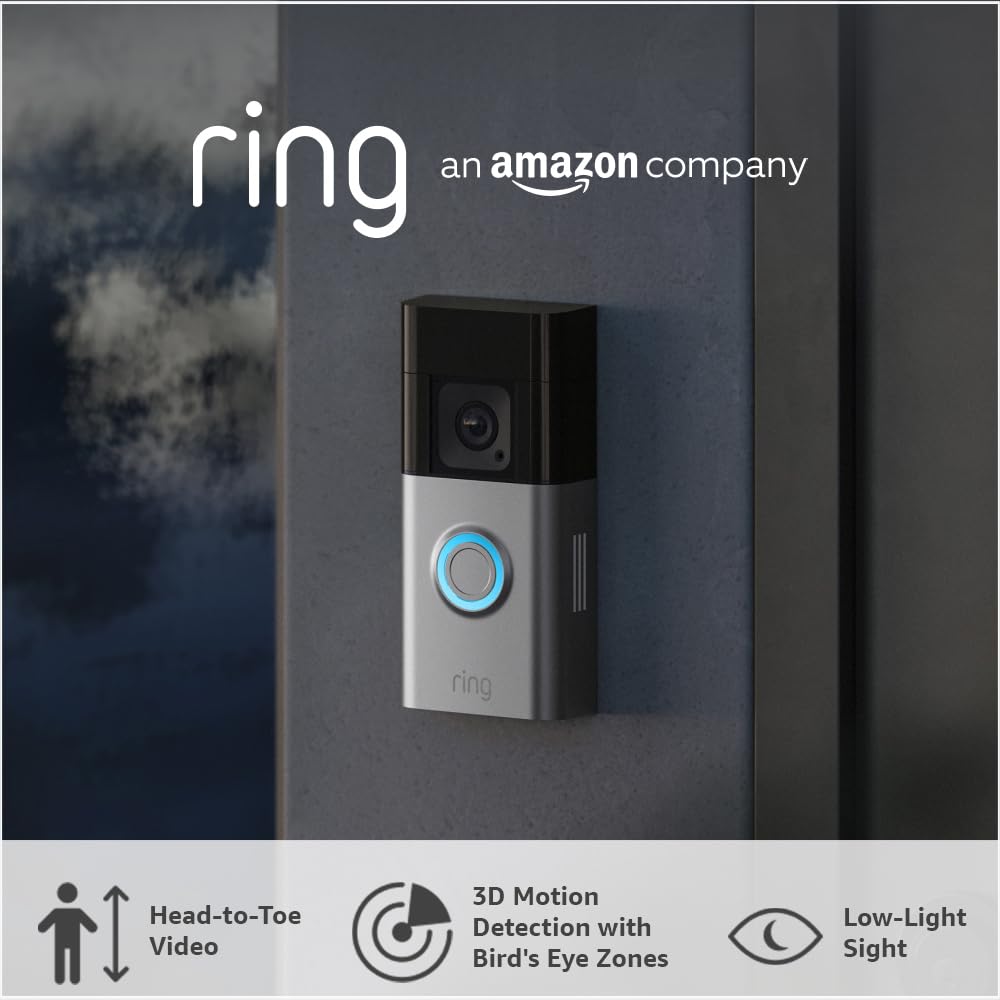
Ring Battery Video Doorbell Pro – Advanced Home Security & Connectivity, NewUpgrade your home security with the Ring Battery Video Doorbell Pro – Wireless Video Doorbell Security Camera. Designed to give you peace of mind, it delivers a head-to-toe 1536p HD view so you can see every detail clearly, from visitors to parcels at your doorstep. With advanced 3D Motion Detection and Bird’s Eye View, you’ll always know what’s happening around your home. The built-in colour night vision ensures crisp images even in the dark, while the wire-free battery design makes installation simple and flexible. Stay connected anywhere with instant notifications, two-way talk, and full integration with the Ring app, Alexa devices, and more. ✔️ Wireless video doorbell – Easy to install with a rechargeable battery, no wiring needed ✔️ 1536p HD head-to-toe view – See visitors and packages clearly in high definition ✔️ 3D Motion Detection & Bird’s Eye View – Advanced alerts and aerial perspective for extra security ✔️ Colour night vision – Crystal-clear video even in low light or darkness ✔️ Two-way talk with noise cancellation – Hear and speak to visitors in real time ✔️ Customisable motion zones – Focus on the areas that matter most ✔️ Smart alerts & notifications – Instant updates on your phone via the Ring app ✔️ Alexa compatible – Works seamlessly with Echo devices for hands-free monitoring ✔️ Quick-release battery pack – Easy to recharge and swap for uninterrupted security ✔️ Durable design – Built to withstand outdoor weather conditions The Ring Battery Video Doorbell Pro combines advanced motion detection, high-definition video, and smart home integration in one sleek device. Perfect for enhancing your home security, it ensures you never miss a visitor or delivery, day or night.174,49 £*Shipping: 0,00 £Secure redirect to the provider
-
Thunderworks Games Tenpenny Parks Innovation Expansion - Strategic Park ManagementTake your Tenpenny Parks experience further with the Innovation expansion from Thunderworks Games. Develop new ideas for your park, recruit additional specialists, and introduce exciting novelties that can change the way you plan and build. This expansion adds fresh strategic options to the park-management gameplay of Tenpenny Parks. Use research to improve your development plans, bring new specialists into your team, and create more distinctive attractions as you compete to shape a successful park. What’s included: Key features: - New innovation-focused content for Tenpenny Parks - Additional specialists to support your plans - New research and novelty options - More strategic choices during development Please note: This is an expansion and requires the Tenpenny Parks base game to play. It is suitable for players who want to add variety and further strategic depth to their existing game.35,99 £*Shipping: 3,95 £Secure redirect to the provider
-
Sesderma Reti Age 5 Liposomal Serum Anti-Aging Innovation 30mLA facial serum for wrinkles and signs of ageing. Reduces wrinkles and fine lines. Hydrates and strengthens barrier. Restores youthful radiance. 5-Retinoid System: smooths wrinkles, accelerates renewal, and boosts collagen. Biomimetic Peptides: fill expression lines by stimulating collagen synthesis.46,44 £*Shipping: 5,16 £Secure redirect to the provider
-
What causes the echoing sound in OBS streams?
The echoing sound in OBS streams is typically caused by audio feedback. This occurs when the audio from your microphone or speakers is picked up by your microphone again, creating a loop of sound. To prevent echoing, you can try adjusting the volume levels of your microphone and speakers, using headphones to monitor your audio, or using noise suppression filters in OBS. Additionally, make sure that your microphone is not too close to your speakers to reduce the chances of feedback. **
-
What causes the echoing sound in PC recording?
The echoing sound in PC recording is typically caused by feedback loops. This occurs when the audio output from the computer's speakers is picked up by the microphone and then re-amplified, creating a loop of sound. This can also happen if the microphone is too close to the speakers, causing the sound to bounce back and forth between the two. To prevent echoing, it is important to properly adjust the microphone and speaker settings, as well as use headphones to monitor the audio instead of relying on speakers. **
-
What causes the echoing sound during OBS streaming?
The echoing sound during OBS streaming is typically caused by audio feedback. This occurs when the audio from the stream is picked up by the microphone and then played back through the stream again, creating a loop of sound. This can happen if the microphone is too close to the speakers, or if the audio output from the stream is being picked up by the microphone. To fix this issue, it's important to adjust the microphone and speaker placement, and to use headphones to monitor the audio instead of relying on speakers. Additionally, adjusting the audio settings in OBS to minimize feedback can also help reduce echoing. **
-
Why is the laptop sound echoing since the update?
The laptop sound may be echoing since the update due to changes in the audio settings or drivers. The update may have altered the sound configuration, causing the sound to bounce off surfaces and create an echo effect. It is recommended to check the audio settings, update the sound drivers, or adjust the volume levels to potentially resolve the echoing issue. **
Similar search terms for Echoing
-
Care+ Bears 30cm Gryffindor House Hoodie Plush for Kids - 30cm - New - Official CollaborationDelight in the official Care Bears x Harry Potter collaboration with the 30cm Harry Potter Gryffindor House Hoodie Plush, available at Lennies Toys. This premium crossover brings together the warm, nostalgic charm of Care Bears with the magic of Hogwarts, delivering a plush that’s both cuddly and collectible. Official Care Bears x Harry Potter collaboration, celebrating 25 years of magic with larger, more detailed plush designs. The plush is a seated, 30cm premium design with enhanced details, ideal for cuddling, gifting, or displaying on a shelf. The Gryffindor House outfit includes a robe, scarf, crest details, and a bold lion mascot hoodie for a standout magical look. Tenderheart Bear embodies Gryffindor bravery, leadership, and determination, blending care with courageous spirit. The plush features the classic red heart belly badge and a paw featuring the Harry Potter 25th Anniversary logo. Perfect for fans of both Care Bears and Harry Potter, this plush is a great addition to any collection.16,99 £*Shipping: 3,95 £Secure redirect to the provider
-
Uplift Essentials High Efficiency Non Stick Camping Skillet High Efficiency Non Stick Camping SkilletUpgrade your trailside cooking with this highperformance Nonstick Camping Frying Pan. Engineered for the weightconscious hiker, this outdoor hiking skillet combines a premium stickfree surface with a rugged, ultralight build. Whether you are searing...128,97 $*Shipping: 0,00 $Secure redirect to the provider
-
Uplifted Finds 40 Pack High Efficiency Replacement Filters 40 Pack High Efficiency Replacement FiltersEnsure your pet always has access to clinicalgrade water with this 40Pack Filter and Sponge Set. Engineered for highcapacity 67oz (2L) and 108oz (3.2L) stainless steel fountains, this bulk kit provides a comprehensive solution for longterm water...73,97 $*Shipping: 0,00 $Secure redirect to the provider
-
Care Bears Hufflepuff House Hoodie Plush 30cm - Official Harry Potter Collaboration - Soft Plush ToyMeet the Care Bears - 30cm Harry Potter Hufflepuff House Hoodie Plush, an official collaboration from Lennies Toys. This premium crossover brings the comforting whimsy of Care Bears together with the magic of Hogwarts to celebrate 25 years of the Harry Potter series. It’s a larger, more detailed plush that sits charmingly on a shelf and provides a comforting companion during bedtime adventures. Official Care Bears x Harry Potter collaboration with authentic design. The plush features a Hufflepuff House robe, scarf, crest details, and a badger mascot hoodie for instant house pride. Love-A-Lot Bear represents kindness, loyalty, and compassion inspired by Hufflepuff values, complete with a dual hearts belly badge and a paw featuring the Harry Potter 25th Anniversary logo. The plush is made from premium, soft fabrics designed for gentle play and long-lasting comfort. This plush is perfect for fans who want a tangible piece of both magical worlds.16,99 £*Shipping: 3,95 £Secure redirect to the provider
-
Why do Teamspeak partners always sound like they are echoing?
Teamspeak partners may sound like they are echoing due to a phenomenon called audio feedback. This occurs when the sound from their speakers is picked up by their microphone and transmitted back to you, creating a loop of sound. This can happen if their microphone sensitivity is too high or if their speakers are too loud. Adjusting these settings or using headphones can help reduce or eliminate the echoing effect. **
-
What can I do if the microphone is echoing during the recording?
If the microphone is echoing during the recording, there are a few things you can try to fix the issue. First, try adjusting the microphone's position and distance from the sound source to minimize reflections and echoes. You can also try using a pop filter or foam windscreen to reduce unwanted noise and echoes. Additionally, check the recording environment for any hard surfaces that may be causing the echo and consider adding acoustic treatment to the room. Finally, make sure to check the microphone and recording equipment for any technical issues that may be contributing to the echoing. **
-
Where do I change the settings so that the Windows Media Player stops echoing strangely?
To adjust the settings in Windows Media Player to stop echoing, you can try adjusting the audio settings within the program. Click on the "Tools" menu in Windows Media Player, then select "Options." In the Options menu, go to the "Devices" tab and select your audio device. Click on "Properties" and then adjust the audio settings such as volume levels, enhancements, and speaker configuration to see if that helps reduce the echoing issue. Additionally, make sure your computer's audio drivers are up to date as outdated drivers can sometimes cause audio issues. **
-
What can I do to fix the echoing and distorted sound in the OBS Studio stream?
To fix echoing and distorted sound in OBS Studio stream, you can try the following steps: 1. Check your audio settings in OBS Studio and make sure that the correct audio devices are selected for both input and output. 2. Adjust the audio levels and make sure that the input volume is not too high, which can cause distortion. 3. Use a noise gate filter to reduce background noise and echo in your audio. 4. If you are using a microphone, make sure it is positioned correctly and is not too close to other sound sources that could cause echoing. By following these steps, you should be able to improve the audio quality of your OBS Studio stream and reduce echoing and distortion. **
* All prices are inclusive of VAT and, if applicable, plus shipping costs. The offer information is based on the details provided by the respective shop and is updated through automated processes. Real-time updates do not occur, so deviations can occur in individual cases. ** Note: Parts of this content were created by AI.