Buy n4c.eu ?
We are moving the project
n4c.eu .
Are you interested in purchasing the domain
n4c.eu ?
domain@kv-gmbh.de · 0541-91531010
Buy n4c.eu ?
What are entities and relationships?
Entities are the objects or concepts that are relevant to a particular domain, such as customers, products, or orders in a retail system. Relationships, on the other hand, describe how these entities are connected or interact with each other. For example, in a retail system, a customer entity may have a relationship with an order entity, indicating that a customer can place an order. Entities and relationships are key components in designing databases and data models to represent real-world scenarios and interactions. **
What are entities and relations?
Entities are objects or concepts that are distinguishable and can be described. They can be people, places, things, or events. Relations, on the other hand, are connections or associations between entities. They define how entities are related to each other and provide context to their interactions. In a database context, entities are represented as tables and relations are represented as the connections between these tables. **

Similar search terms for Entities
Top-Angebote
Products related to Entities:
-
Thunderworks Games Tenpenny Parks Innovation Expansion - Strategic Park ManagementTake your Tenpenny Parks experience further with the Innovation expansion from Thunderworks Games. Develop new ideas for your park, recruit additional specialists, and introduce exciting novelties that can change the way you plan and build. This expansion adds fresh strategic options to the park-management gameplay of Tenpenny Parks. Use research to improve your development plans, bring new specialists into your team, and create more distinctive attractions as you compete to shape a successful park. What’s included: Key features: - New innovation-focused content for Tenpenny Parks - Additional specialists to support your plans - New research and novelty options - More strategic choices during development Please note: This is an expansion and requires the Tenpenny Parks base game to play. It is suitable for players who want to add variety and further strategic depth to their existing game.35,99 £*Shipping: 3,95 £Secure redirect to the provider
-
eufy 4G Connectivity Module for Robot Lawn Mower C154G Connectivity and Theft Protection: Enables 4G LTE for your eufy C15 Robot Lawn Mower, so you can remotely control, monitor, and locate your robotic lawn mower even when it's outside Wi-Fi range. Built-in SIM Card with 2 Years Free Data: Comes with a pre-installed SIM card and 2 years of free 4G data. Once the free period ends, you can subscribe to a data plan directly in the eufy App. Real-Time GPS Tracking with Theft Alerts: Track the exact location of your robot lawn mower in the eufy App and receive an instant notification if it is moved outside the mowing area. Note: GPS tracking only works when the battery has sufficient charge. Wider Coverage Than Wi-Fi Alone: 4G bridges Wi-Fi dead zones, allowing you to control and monitor your robot lawn mower even in areas without Wi-Fi coverage. Note: The live camera feature requires a 4G connection and is not available over Wi-Fi alone. Official eufy Accessory: Plug-and-play installation with tools included. Specially designed for the eufy C15 Robot Lawn Mower. Comes with our lifetime customer support and official warranty.74,25 £*Shipping: 0,00 £Secure redirect to the provider
-
Sesderma Reti Age 5 Liposomal Serum Anti-Aging Innovation 30mLA facial serum for wrinkles and signs of ageing. Reduces wrinkles and fine lines. Hydrates and strengthens barrier. Restores youthful radiance. 5-Retinoid System: smooths wrinkles, accelerates renewal, and boosts collagen. Biomimetic Peptides: fill expression lines by stimulating collagen synthesis.46,44 £*Shipping: 5,16 £Secure redirect to the provider


-
Why do Minecraft entities disappear?
Minecraft entities may disappear due to a variety of reasons. One common reason is that they have moved out of the player's render distance, causing them to be unloaded from the game world. Another reason could be that they have been killed or destroyed by the player or other entities. Additionally, certain entities may have a despawn timer, causing them to disappear after a certain amount of time if they are not interacted with. **
-
How do you rotate Minecraft entities?
In Minecraft, entities can be rotated using commands or by physically moving them in the game world. To rotate an entity using commands, you can use the `/tp` command along with the `rotation` parameter to specify the desired rotation angles. Alternatively, you can physically rotate an entity by pushing or pulling them in the game world using tools or by manipulating their environment. Additionally, some mods or plugins may offer more advanced ways to rotate entities in Minecraft. **
-
Can you also copy entities with WorldEdit?
Yes, WorldEdit allows you to copy entities such as mobs, items, and blocks with the //copy command. This command can be used to duplicate entities in the game world, making it easier to create complex structures or designs. Additionally, you can paste the copied entities using the //paste command to place them in a different location. This feature is particularly useful for building large-scale projects or quickly populating an area with specific entities. **
-
How can you rotate entities in Minecraft?
In Minecraft, you can rotate entities by using commands or by physically moving them in the game. To rotate an entity using commands, you can use the /tp command to teleport the entity to a new location with a different rotation. Alternatively, you can physically rotate an entity by pushing or pulling it in the direction you want it to face. Additionally, some entities like mobs or players may automatically rotate to face a certain direction based on their behavior or AI. **


How can one rotate entities in Minecraft?
In Minecraft, players can rotate entities such as items, blocks, or mobs by using the right-click or left-click button on a mouse or touchpad. By clicking on the entity and dragging the mouse in the desired direction, players can rotate the entity to the angle they prefer. Additionally, some mods or plugins may offer more advanced rotation options for entities in the game. **
How can entities be rotated in Minecraft?
Entities in Minecraft can be rotated using commands or by physically moving them in the game world. Using commands, players can use the /tp command to teleport entities to a new location with a specific rotation. Additionally, players can use the /data command to modify an entity's rotation data directly. In the game world, players can physically rotate entities by pushing or pulling them using pistons, or by using water currents to change their orientation. **
Top-Angebote
Products related to Entities:
-
Roger Hunt Old House Eco Handbook: A Practical Guide to Retrofitting for Energy Efficiency and SustainabilityDescription. Condition: Brand New. Format : Hardback. This practical and essential guide to retrofitting for energy efficiency seeks to provide answers to this and other questions homeowners of old houses are asking. Whether your house is medieval and timber-framed or a Georgian, Victorian or Edwardian terrace, it can be made more energy efficient and sustainable. This practical, comprehensive and fully illustrated handbook will show you how.. Title. Old House Eco Handbook: A Practical Guide to Retrofitting for Energy Efficiency and Sustainability. Delivery. Content. Reviews99,99 £*Shipping: 0,00 £Secure redirect to the provider
-
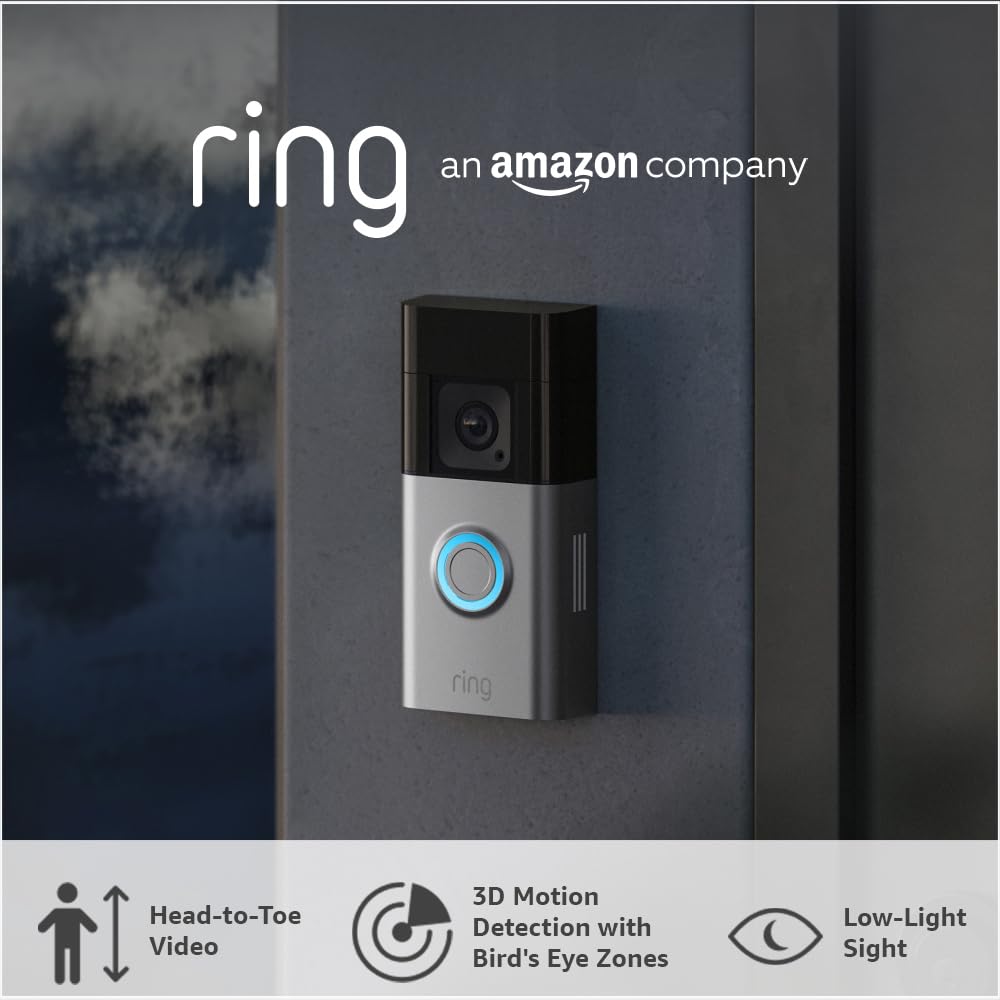
Ring Battery Video Doorbell Pro – Advanced Home Security & Connectivity, NewUpgrade your home security with the Ring Battery Video Doorbell Pro – Wireless Video Doorbell Security Camera. Designed to give you peace of mind, it delivers a head-to-toe 1536p HD view so you can see every detail clearly, from visitors to parcels at your doorstep. With advanced 3D Motion Detection and Bird’s Eye View, you’ll always know what’s happening around your home. The built-in colour night vision ensures crisp images even in the dark, while the wire-free battery design makes installation simple and flexible. Stay connected anywhere with instant notifications, two-way talk, and full integration with the Ring app, Alexa devices, and more. ✔️ Wireless video doorbell – Easy to install with a rechargeable battery, no wiring needed ✔️ 1536p HD head-to-toe view – See visitors and packages clearly in high definition ✔️ 3D Motion Detection & Bird’s Eye View – Advanced alerts and aerial perspective for extra security ✔️ Colour night vision – Crystal-clear video even in low light or darkness ✔️ Two-way talk with noise cancellation – Hear and speak to visitors in real time ✔️ Customisable motion zones – Focus on the areas that matter most ✔️ Smart alerts & notifications – Instant updates on your phone via the Ring app ✔️ Alexa compatible – Works seamlessly with Echo devices for hands-free monitoring ✔️ Quick-release battery pack – Easy to recharge and swap for uninterrupted security ✔️ Durable design – Built to withstand outdoor weather conditions The Ring Battery Video Doorbell Pro combines advanced motion detection, high-definition video, and smart home integration in one sleek device. Perfect for enhancing your home security, it ensures you never miss a visitor or delivery, day or night.174,49 £*Shipping: 0,00 £Secure redirect to the provider
-
Thunderworks Games Tenpenny Parks Innovation Expansion - Strategic Park ManagementTake your Tenpenny Parks experience further with the Innovation expansion from Thunderworks Games. Develop new ideas for your park, recruit additional specialists, and introduce exciting novelties that can change the way you plan and build. This expansion adds fresh strategic options to the park-management gameplay of Tenpenny Parks. Use research to improve your development plans, bring new specialists into your team, and create more distinctive attractions as you compete to shape a successful park. What’s included: Key features: - New innovation-focused content for Tenpenny Parks - Additional specialists to support your plans - New research and novelty options - More strategic choices during development Please note: This is an expansion and requires the Tenpenny Parks base game to play. It is suitable for players who want to add variety and further strategic depth to their existing game.35,99 £*Shipping: 3,95 £Secure redirect to the provider
-
What are entities and relationships?
Entities are the objects or concepts that are relevant to a particular domain, such as customers, products, or orders in a retail system. Relationships, on the other hand, describe how these entities are connected or interact with each other. For example, in a retail system, a customer entity may have a relationship with an order entity, indicating that a customer can place an order. Entities and relationships are key components in designing databases and data models to represent real-world scenarios and interactions. **
-
What are entities and relations?
Entities are objects or concepts that are distinguishable and can be described. They can be people, places, things, or events. Relations, on the other hand, are connections or associations between entities. They define how entities are related to each other and provide context to their interactions. In a database context, entities are represented as tables and relations are represented as the connections between these tables. **
-
Why do Minecraft entities disappear?
Minecraft entities may disappear due to a variety of reasons. One common reason is that they have moved out of the player's render distance, causing them to be unloaded from the game world. Another reason could be that they have been killed or destroyed by the player or other entities. Additionally, certain entities may have a despawn timer, causing them to disappear after a certain amount of time if they are not interacted with. **
-
How do you rotate Minecraft entities?
In Minecraft, entities can be rotated using commands or by physically moving them in the game world. To rotate an entity using commands, you can use the `/tp` command along with the `rotation` parameter to specify the desired rotation angles. Alternatively, you can physically rotate an entity by pushing or pulling them in the game world using tools or by manipulating their environment. Additionally, some mods or plugins may offer more advanced ways to rotate entities in Minecraft. **
Similar search terms for Entities
-
eufy 4G Connectivity Module for Robot Lawn Mower C154G Connectivity and Theft Protection: Enables 4G LTE for your eufy C15 Robot Lawn Mower, so you can remotely control, monitor, and locate your robotic lawn mower even when it's outside Wi-Fi range. Built-in SIM Card with 2 Years Free Data: Comes with a pre-installed SIM card and 2 years of free 4G data. Once the free period ends, you can subscribe to a data plan directly in the eufy App. Real-Time GPS Tracking with Theft Alerts: Track the exact location of your robot lawn mower in the eufy App and receive an instant notification if it is moved outside the mowing area. Note: GPS tracking only works when the battery has sufficient charge. Wider Coverage Than Wi-Fi Alone: 4G bridges Wi-Fi dead zones, allowing you to control and monitor your robot lawn mower even in areas without Wi-Fi coverage. Note: The live camera feature requires a 4G connection and is not available over Wi-Fi alone. Official eufy Accessory: Plug-and-play installation with tools included. Specially designed for the eufy C15 Robot Lawn Mower. Comes with our lifetime customer support and official warranty.74,25 £*Shipping: 0,00 £Secure redirect to the provider
-
Sesderma Reti Age 5 Liposomal Serum Anti-Aging Innovation 30mLA facial serum for wrinkles and signs of ageing. Reduces wrinkles and fine lines. Hydrates and strengthens barrier. Restores youthful radiance. 5-Retinoid System: smooths wrinkles, accelerates renewal, and boosts collagen. Biomimetic Peptides: fill expression lines by stimulating collagen synthesis.46,44 £*Shipping: 5,16 £Secure redirect to the provider
-
Loungefly Care Bears x Sesame Street Crossbody Bag - Official Collaboration - Character Artwork - Compact CarryDiscover the Loungefly Care Bears x Sesame Street Crossbody Bag, a playful and collectible accessory designed for fans who want a compact way to carry their essentials. This official Loungefly crossbody bag features the Care Bears x Sesame Street design, with colorful artwork highlighting beloved Care Bears and Sesame Street characters across the exterior. The crossbody design offers a hands-free carrying option ideal for everyday outings, events, or themed gatherings. Perfect for fans and collectors, this crossbody bag lets you show your fandom while keeping your daily essentials secure and within easy reach. Its playful design pairs well with a range of outfits, making it a practical collectible that adds personality to both casual looks and convention outfits. A great accessory for fans of both Care Bears and Sesame Street.75,00 £*Shipping: 0,00 £Secure redirect to the provider
-
Uplift Essentials High Efficiency Non Stick Camping Skillet High Efficiency Non Stick Camping SkilletUpgrade your trailside cooking with this highperformance Nonstick Camping Frying Pan. Engineered for the weightconscious hiker, this outdoor hiking skillet combines a premium stickfree surface with a rugged, ultralight build. Whether you are searing...128,97 $*Shipping: 0,00 $Secure redirect to the provider
-
Can you also copy entities with WorldEdit?
Yes, WorldEdit allows you to copy entities such as mobs, items, and blocks with the //copy command. This command can be used to duplicate entities in the game world, making it easier to create complex structures or designs. Additionally, you can paste the copied entities using the //paste command to place them in a different location. This feature is particularly useful for building large-scale projects or quickly populating an area with specific entities. **
-
How can you rotate entities in Minecraft?
In Minecraft, you can rotate entities by using commands or by physically moving them in the game. To rotate an entity using commands, you can use the /tp command to teleport the entity to a new location with a different rotation. Alternatively, you can physically rotate an entity by pushing or pulling it in the direction you want it to face. Additionally, some entities like mobs or players may automatically rotate to face a certain direction based on their behavior or AI. **
-
How can one rotate entities in Minecraft?
In Minecraft, players can rotate entities such as items, blocks, or mobs by using the right-click or left-click button on a mouse or touchpad. By clicking on the entity and dragging the mouse in the desired direction, players can rotate the entity to the angle they prefer. Additionally, some mods or plugins may offer more advanced rotation options for entities in the game. **
-
How can entities be rotated in Minecraft?
Entities in Minecraft can be rotated using commands or by physically moving them in the game world. Using commands, players can use the /tp command to teleport entities to a new location with a specific rotation. Additionally, players can use the /data command to modify an entity's rotation data directly. In the game world, players can physically rotate entities by pushing or pulling them using pistons, or by using water currents to change their orientation. **
* All prices are inclusive of VAT and, if applicable, plus shipping costs. The offer information is based on the details provided by the respective shop and is updated through automated processes. Real-time updates do not occur, so deviations can occur in individual cases. ** Note: Parts of this content were created by AI.