Buy n4c.eu ?
We are moving the project
n4c.eu .
Are you interested in purchasing the domain
n4c.eu ?
domain@kv-gmbh.de · 0541-91531010
Buy n4c.eu ?
Why is there low security in WLAN?
There are several reasons for low security in WLAN. One reason is that many users do not properly configure their wireless routers with strong encryption and authentication settings, leaving their networks vulnerable to unauthorized access. Additionally, some users may not regularly update their router firmware or use outdated security protocols, making their networks more susceptible to attacks. Furthermore, the convenience of WLAN often leads to users connecting to public or unsecured networks, increasing the risk of security breaches. Overall, the lack of awareness and vigilance in securing WLAN networks contributes to their low security. **
Does this WLAN network use an older security standard?
Yes, this WLAN network uses an older security standard known as WPA (Wi-Fi Protected Access). WPA is an older encryption method that has been largely replaced by the more secure WPA2 and WPA3 standards. It is recommended to upgrade to a more secure encryption standard to better protect the network from potential security threats. **

Similar search terms for Wlan
Top-Angebote
Products related to Wlan:
-
Thunderworks Games Tenpenny Parks Innovation Expansion - Strategic Park ManagementTake your Tenpenny Parks experience further with the Innovation expansion from Thunderworks Games. Develop new ideas for your park, recruit additional specialists, and introduce exciting novelties that can change the way you plan and build. This expansion adds fresh strategic options to the park-management gameplay of Tenpenny Parks. Use research to improve your development plans, bring new specialists into your team, and create more distinctive attractions as you compete to shape a successful park. What’s included: Key features: - New innovation-focused content for Tenpenny Parks - Additional specialists to support your plans - New research and novelty options - More strategic choices during development Please note: This is an expansion and requires the Tenpenny Parks base game to play. It is suitable for players who want to add variety and further strategic depth to their existing game.35,99 £*Shipping: 3,95 £Secure redirect to the provider
-
Care+ Bears 30cm Gryffindor House Hoodie Plush for Kids - 30cm - New - Official CollaborationDelight in the official Care Bears x Harry Potter collaboration with the 30cm Harry Potter Gryffindor House Hoodie Plush, available at Lennies Toys. This premium crossover brings together the warm, nostalgic charm of Care Bears with the magic of Hogwarts, delivering a plush that’s both cuddly and collectible. Official Care Bears x Harry Potter collaboration, celebrating 25 years of magic with larger, more detailed plush designs. The plush is a seated, 30cm premium design with enhanced details, ideal for cuddling, gifting, or displaying on a shelf. The Gryffindor House outfit includes a robe, scarf, crest details, and a bold lion mascot hoodie for a standout magical look. Tenderheart Bear embodies Gryffindor bravery, leadership, and determination, blending care with courageous spirit. The plush features the classic red heart belly badge and a paw featuring the Harry Potter 25th Anniversary logo. Perfect for fans of both Care Bears and Harry Potter, this plush is a great addition to any collection.16,99 £*Shipping: 3,95 £Secure redirect to the provider
-
LightInthebox Wireless WiFi Security Camera, 130° Wide Angle, Infrared Night Vision, Motion Detection, Long-Lasting Rechargeable Battery, Two-Way Audio, Bluetooth Connectivity, Dual Storage, Remote MonitoringModel:AT-SX-W03; What's in the box:Infrared Detector,1 × Bracket,IP camera,1 Package,Stand,with Remote Control,English and Chinese Manual,Charging Cable,Battery Included,IP Camera,IP Camera4; Environment:Apartment,Bedroom,Garden,Outdoor,Indoor;...73,19 $*Shipping: 5,23 $Secure redirect to the provider


-
Which security key do I need for my laptop's WLAN?
You will need the security key for your laptop's WLAN that is provided by your network administrator or that you have set up yourself. The security key is typically a password or passphrase that is used to authenticate and connect to a secure wireless network. If you are unsure of the security key for your laptop's WLAN, you can check the network settings on your laptop or contact your network administrator for assistance. **
-
What can I do if the WLAN security is compromised?
If you suspect that your WLAN security has been compromised, there are several steps you can take to address the issue. First, you should immediately change the password for your WLAN network to prevent unauthorized access. Next, you should update the firmware on your router to the latest version, as this can help patch any security vulnerabilities. Additionally, you can consider enabling additional security measures such as MAC address filtering or using a virtual private network (VPN) for added protection. Finally, it's important to regularly monitor your network for any suspicious activity and consider consulting with a professional IT security expert for further assistance. **
-
Why does my own WLAN show low security under the connection?
Your WLAN may show low security under the connection for a few reasons. It could be that your network is using an older or less secure encryption method, such as WEP, which is more vulnerable to hacking. Another reason could be that your network password is weak or easily guessable, making it easier for unauthorized users to access your network. It's important to ensure that your WLAN is using the latest security protocols, such as WPA2 or WPA3, and that your password is strong and unique to protect your network from potential security threats. **
-
Can you share WLAN via a WLAN hotspot?
Yes, it is possible to share WLAN via a WLAN hotspot. This can be done by setting up a WLAN hotspot on a device that is connected to the WLAN network, allowing other devices to connect to the hotspot and access the internet through the original WLAN connection. This can be useful in situations where multiple devices need to access the internet but only one WLAN connection is available. Keep in mind that sharing a WLAN connection via a hotspot may impact the speed and performance of the original WLAN network. **


How can I receive WLAN with a WLAN router?
To receive WLAN with a WLAN router, you first need to ensure that the router is properly set up and connected to your internet service. Once the router is set up, you can connect to the WLAN network by searching for available networks on your device and selecting the network name (SSID) of your WLAN router. You may need to enter the network password if it is a secured network. Once connected, you will be able to access the internet and other network resources through the WLAN router. **
Which WLAN repeater is suitable for Vodafone Cable WLAN?
The Vodafone Cable WLAN is compatible with any WLAN repeater that supports the same wireless standards and frequencies as the Vodafone Cable WLAN. It is important to ensure that the WLAN repeater is compatible with the 2.4GHz and 5GHz frequencies used by the Vodafone Cable WLAN. Additionally, the repeater should support the latest WLAN standards such as 802.11ac for optimal performance. It is recommended to consult with Vodafone or the WLAN repeater manufacturer for specific compatibility and setup instructions. **
Top-Angebote
Products related to Wlan:
-
Roger Hunt Old House Eco Handbook: A Practical Guide to Retrofitting for Energy Efficiency and SustainabilityDescription. Condition: Brand New. Format : Hardback. This practical and essential guide to retrofitting for energy efficiency seeks to provide answers to this and other questions homeowners of old houses are asking. Whether your house is medieval and timber-framed or a Georgian, Victorian or Edwardian terrace, it can be made more energy efficient and sustainable. This practical, comprehensive and fully illustrated handbook will show you how.. Title. Old House Eco Handbook: A Practical Guide to Retrofitting for Energy Efficiency and Sustainability. Delivery. Content. Reviews99,99 £*Shipping: 0,00 £Secure redirect to the provider
-
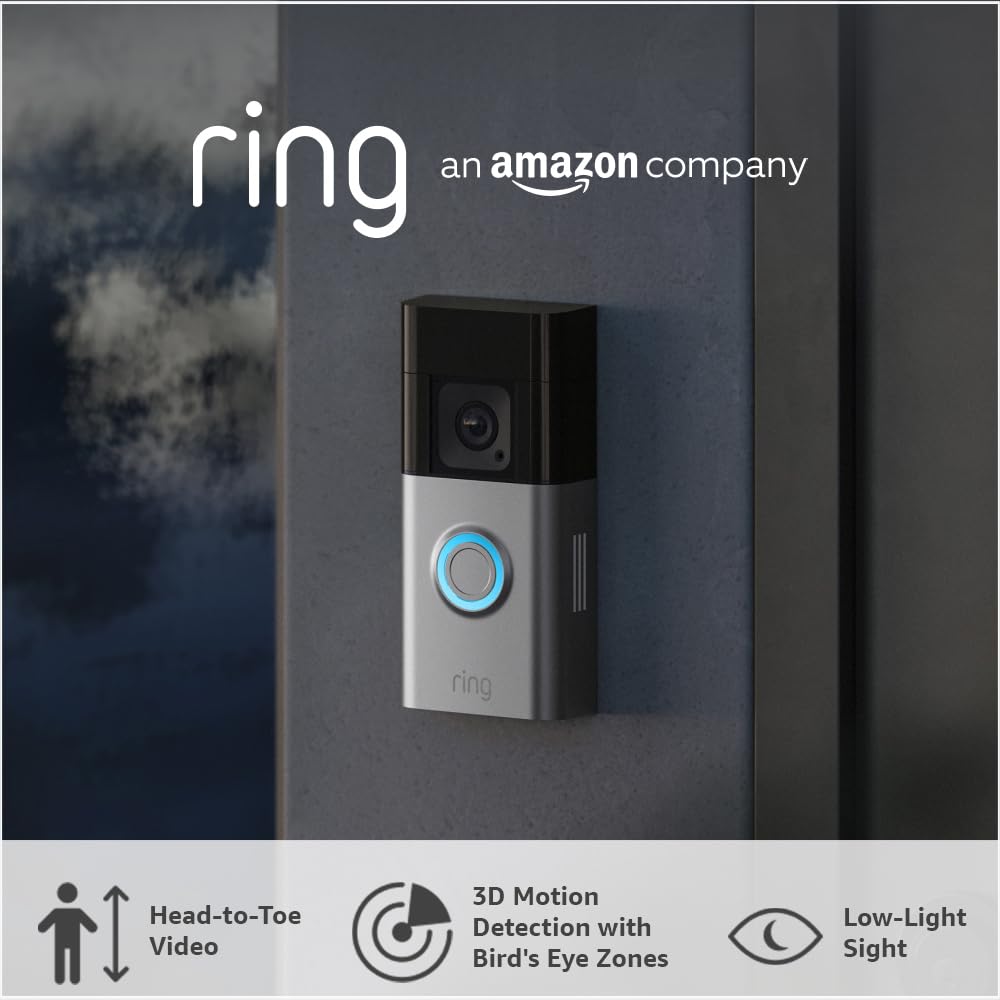
Ring Battery Video Doorbell Pro – Advanced Home Security & Connectivity, NewUpgrade your home security with the Ring Battery Video Doorbell Pro – Wireless Video Doorbell Security Camera. Designed to give you peace of mind, it delivers a head-to-toe 1536p HD view so you can see every detail clearly, from visitors to parcels at your doorstep. With advanced 3D Motion Detection and Bird’s Eye View, you’ll always know what’s happening around your home. The built-in colour night vision ensures crisp images even in the dark, while the wire-free battery design makes installation simple and flexible. Stay connected anywhere with instant notifications, two-way talk, and full integration with the Ring app, Alexa devices, and more. ✔️ Wireless video doorbell – Easy to install with a rechargeable battery, no wiring needed ✔️ 1536p HD head-to-toe view – See visitors and packages clearly in high definition ✔️ 3D Motion Detection & Bird’s Eye View – Advanced alerts and aerial perspective for extra security ✔️ Colour night vision – Crystal-clear video even in low light or darkness ✔️ Two-way talk with noise cancellation – Hear and speak to visitors in real time ✔️ Customisable motion zones – Focus on the areas that matter most ✔️ Smart alerts & notifications – Instant updates on your phone via the Ring app ✔️ Alexa compatible – Works seamlessly with Echo devices for hands-free monitoring ✔️ Quick-release battery pack – Easy to recharge and swap for uninterrupted security ✔️ Durable design – Built to withstand outdoor weather conditions The Ring Battery Video Doorbell Pro combines advanced motion detection, high-definition video, and smart home integration in one sleek device. Perfect for enhancing your home security, it ensures you never miss a visitor or delivery, day or night.174,49 £*Shipping: 0,00 £Secure redirect to the provider
-
Thunderworks Games Tenpenny Parks Innovation Expansion - Strategic Park ManagementTake your Tenpenny Parks experience further with the Innovation expansion from Thunderworks Games. Develop new ideas for your park, recruit additional specialists, and introduce exciting novelties that can change the way you plan and build. This expansion adds fresh strategic options to the park-management gameplay of Tenpenny Parks. Use research to improve your development plans, bring new specialists into your team, and create more distinctive attractions as you compete to shape a successful park. What’s included: Key features: - New innovation-focused content for Tenpenny Parks - Additional specialists to support your plans - New research and novelty options - More strategic choices during development Please note: This is an expansion and requires the Tenpenny Parks base game to play. It is suitable for players who want to add variety and further strategic depth to their existing game.35,99 £*Shipping: 3,95 £Secure redirect to the provider
-
Why is there low security in WLAN?
There are several reasons for low security in WLAN. One reason is that many users do not properly configure their wireless routers with strong encryption and authentication settings, leaving their networks vulnerable to unauthorized access. Additionally, some users may not regularly update their router firmware or use outdated security protocols, making their networks more susceptible to attacks. Furthermore, the convenience of WLAN often leads to users connecting to public or unsecured networks, increasing the risk of security breaches. Overall, the lack of awareness and vigilance in securing WLAN networks contributes to their low security. **
-
Does this WLAN network use an older security standard?
Yes, this WLAN network uses an older security standard known as WPA (Wi-Fi Protected Access). WPA is an older encryption method that has been largely replaced by the more secure WPA2 and WPA3 standards. It is recommended to upgrade to a more secure encryption standard to better protect the network from potential security threats. **
-
Which security key do I need for my laptop's WLAN?
You will need the security key for your laptop's WLAN that is provided by your network administrator or that you have set up yourself. The security key is typically a password or passphrase that is used to authenticate and connect to a secure wireless network. If you are unsure of the security key for your laptop's WLAN, you can check the network settings on your laptop or contact your network administrator for assistance. **
-
What can I do if the WLAN security is compromised?
If you suspect that your WLAN security has been compromised, there are several steps you can take to address the issue. First, you should immediately change the password for your WLAN network to prevent unauthorized access. Next, you should update the firmware on your router to the latest version, as this can help patch any security vulnerabilities. Additionally, you can consider enabling additional security measures such as MAC address filtering or using a virtual private network (VPN) for added protection. Finally, it's important to regularly monitor your network for any suspicious activity and consider consulting with a professional IT security expert for further assistance. **
Similar search terms for Wlan
-
Care+ Bears 30cm Gryffindor House Hoodie Plush for Kids - 30cm - New - Official CollaborationDelight in the official Care Bears x Harry Potter collaboration with the 30cm Harry Potter Gryffindor House Hoodie Plush, available at Lennies Toys. This premium crossover brings together the warm, nostalgic charm of Care Bears with the magic of Hogwarts, delivering a plush that’s both cuddly and collectible. Official Care Bears x Harry Potter collaboration, celebrating 25 years of magic with larger, more detailed plush designs. The plush is a seated, 30cm premium design with enhanced details, ideal for cuddling, gifting, or displaying on a shelf. The Gryffindor House outfit includes a robe, scarf, crest details, and a bold lion mascot hoodie for a standout magical look. Tenderheart Bear embodies Gryffindor bravery, leadership, and determination, blending care with courageous spirit. The plush features the classic red heart belly badge and a paw featuring the Harry Potter 25th Anniversary logo. Perfect for fans of both Care Bears and Harry Potter, this plush is a great addition to any collection.16,99 £*Shipping: 3,95 £Secure redirect to the provider
-
LightInthebox Wireless WiFi Security Camera, 130° Wide Angle, Infrared Night Vision, Motion Detection, Long-Lasting Rechargeable Battery, Two-Way Audio, Bluetooth Connectivity, Dual Storage, Remote MonitoringModel:AT-SX-W03; What's in the box:Infrared Detector,1 × Bracket,IP camera,1 Package,Stand,with Remote Control,English and Chinese Manual,Charging Cable,Battery Included,IP Camera,IP Camera4; Environment:Apartment,Bedroom,Garden,Outdoor,Indoor;...73,19 $*Shipping: 5,23 $Secure redirect to the provider
-
LightInthebox Mini Wireless WiFi Security Camera, 800mAh Rechargeable Battery, 130° Wide Angle, Infrared Night Vision, Motion Detection, Bluetooth Connectivity, Remote Monitoring, TF Card and Cloud StorageModel:AT-SX-W10; What's in the box:Infrared Detector,1 × Bracket,IP camera,1 Package,Stand,with Remote Control,English and Chinese Manual,Charging Cable,Battery Included,IP Camera,IP Camera4; Environment:Apartment,Bedroom,Garden,Outdoor,Indoor;...69,19 $*Shipping: 5,23 $Secure redirect to the provider
-
LightInthebox Mini WiFi Security Camera, 600mAh Rechargeable Battery, 140° Wide Angle, Infrared Night Vision, Motion Detection, Two-Way Audio, Bluetooth Connectivity, TF Card and Cloud StorageModel:AT-SX-W02; What's in the box:Infrared Detector,1 × Bracket,IP camera,1 Package,Stand,with Remote Control,English and Chinese Manual,Charging Cable,Battery Included,IP Camera,IP Camera4; Environment:Apartment,Bedroom,Garden,Outdoor,Indoor;...35,99 $*Shipping: 5,23 $Secure redirect to the provider
-
Why does my own WLAN show low security under the connection?
Your WLAN may show low security under the connection for a few reasons. It could be that your network is using an older or less secure encryption method, such as WEP, which is more vulnerable to hacking. Another reason could be that your network password is weak or easily guessable, making it easier for unauthorized users to access your network. It's important to ensure that your WLAN is using the latest security protocols, such as WPA2 or WPA3, and that your password is strong and unique to protect your network from potential security threats. **
-
Can you share WLAN via a WLAN hotspot?
Yes, it is possible to share WLAN via a WLAN hotspot. This can be done by setting up a WLAN hotspot on a device that is connected to the WLAN network, allowing other devices to connect to the hotspot and access the internet through the original WLAN connection. This can be useful in situations where multiple devices need to access the internet but only one WLAN connection is available. Keep in mind that sharing a WLAN connection via a hotspot may impact the speed and performance of the original WLAN network. **
-
How can I receive WLAN with a WLAN router?
To receive WLAN with a WLAN router, you first need to ensure that the router is properly set up and connected to your internet service. Once the router is set up, you can connect to the WLAN network by searching for available networks on your device and selecting the network name (SSID) of your WLAN router. You may need to enter the network password if it is a secured network. Once connected, you will be able to access the internet and other network resources through the WLAN router. **
-
Which WLAN repeater is suitable for Vodafone Cable WLAN?
The Vodafone Cable WLAN is compatible with any WLAN repeater that supports the same wireless standards and frequencies as the Vodafone Cable WLAN. It is important to ensure that the WLAN repeater is compatible with the 2.4GHz and 5GHz frequencies used by the Vodafone Cable WLAN. Additionally, the repeater should support the latest WLAN standards such as 802.11ac for optimal performance. It is recommended to consult with Vodafone or the WLAN repeater manufacturer for specific compatibility and setup instructions. **
* All prices are inclusive of VAT and, if applicable, plus shipping costs. The offer information is based on the details provided by the respective shop and is updated through automated processes. Real-time updates do not occur, so deviations can occur in individual cases. ** Note: Parts of this content were created by AI.